Best AI Tools for Startup Founders by Business Need
Find the best AI tools for startup founders by business need. Save time, improve workflows, and choose the right software for your growing team.
Boletín gratuito
Recibe The Daily Match
Noticias de IA en lenguaje claro y una acción para probar hoy. Gratis, lunes y viernes.
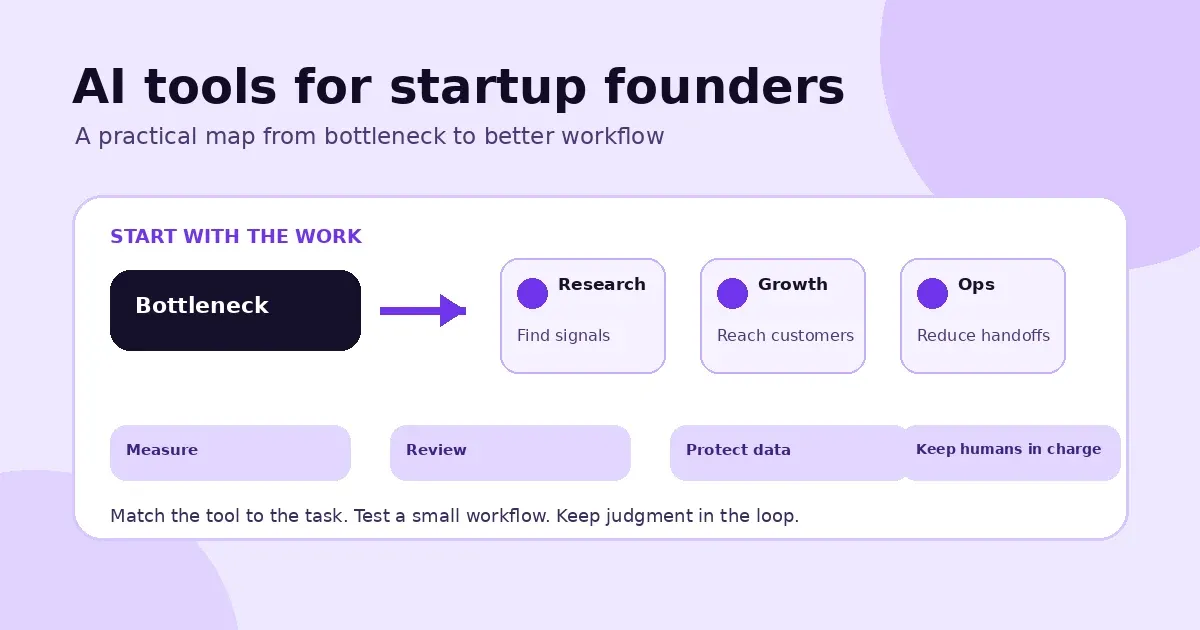
Choosing AI software can feel like a job in itself. Product pages promise time savings, long feature lists, and seamless workflows, but those claims don't tell you whether a tool will work for your business. To find the best AI tools for startup founders, start with a clear question: What task is taking too much time or holding up the team? From there, you can compare tools based on usability, cost, integrations, privacy, and the quality of their results. This guide offers options for common startup workflows and a straightforward way to evaluate them. You'll also learn where human review matters, especially when decisions affect customers, finances, or sensitive data.
How to use this guide by founder business need
The recommendations below are organized around the areas founders typically have to cover themselves or with a small team. Use the table as a starting map, then jump to the section that matches your current bottleneck. Each suggestion explains what the tool category may help with, what to check before adopting it, and where human judgment still belongs.
| Founder area | What to look for | Decision to make |
|---|---|---|
| Research and SEO | Organizing customer questions, competitor notes, and content opportunities | Can the tool improve research without replacing source checks? |
| Marketing and content | First drafts for campaigns, pitch decks, and customer education | Can your team review claims and keep the message specific? |
| Sales and communication | Prospect research, lead organization, and call workflows | Does it reduce manual work without weakening personalization or privacy? |
| Support and operations | Meeting notes, request triage, and repeatable internal processes | Where should a person review or take over? |
| Coding and product | Prototypes, requirements, and early product experiments | Who will test the output for reliability and security? |
| Finance and security | Expense workflows, access management, and controlled data handling | Which data and decisions must stay under human approval? |
What the evidence says about AI for small teams
AI adoption is no longer limited to large companies, but adoption does not guarantee value. The U.S. Chamber of Commerce's 2025 small-business technology report found that 58% of surveyed small businesses identified as using generative AI, up from 40% in 2024. That is a reason to learn how these tools work, not a reason to add software without a measurable job to do.
A field study published by the National Bureau of Economic Research offers a more specific example: access to an AI conversational assistant increased issues resolved per hour by 14% on average among 5,179 customer-support agents. With a 34% improvement for novice and lower-skilled workers. The result varied by experience, so founders should treat it as evidence for testing a well-defined workflow, not as a promise of a universal productivity gain.
"If you do not know where you are going, no AI tool is going to save you."
That advice from Nicholas Haystings, quoted in Startup Folsom's practical AI panel recap, is a useful filter for every recommendation in this guide. The same panel describes Dr. Scott Campit's example of compressing a task that could take four hours manually into a few minutes with an AI-connected workflow. The practical lesson is to identify the bottleneck first, measure the before-and-after result, and keep a person responsible for the outcome.
Key Takeaways
- Choose AI based on a clear need: Identify a recurring task that slows your startup down before comparing tools. myAImatch's free, three-question assessment can help you find options that fit your needs.
- Test before committing: Pilot one tool on a manageable task, then compare its time savings, quality, cost, and fit with your existing workflow.
- Keep people responsible: Check AI-generated work, protect sensitive information, and require human approval for decisions that could affect customers, finances, hiring, or security.
What Can AI Tools Do for Startup Founders?
AI tools can help founders reduce repetitive work, make sense of research, and turn early ideas into drafts or prototypes. Start with a specific task that takes time, then check whether AI can make it easier without compromising quality. If you're unsure which tools fit your needs, myAImatch offers a free assessment with personalized recommendations.
Automate routine work to free up time for strategic decisions
Founders often juggle lead sorting, email drafts, meeting notes, and internal procedures alongside bigger decisions. AI can help with these repeatable tasks, so you have more time for work that needs your experience, like setting priorities or speaking with customers. At a practical AI panel, one founder described a workflow that cut a task from four hours of manual work to minutes, as Startup Folsom reports.
Begin with a task that has a clear pattern, such as summarizing a weekly meeting or drafting a routine follow-up. Review the result before you share it, and make sure someone on your team owns the process. The goal is to remove busywork, not to add another tool that needs constant attention.
Summarize market research, competitor insights, and customer feedback
Competitor websites, reports, surveys, and interview notes can add up fast. AI can help condense this information into themes, comparisons, and questions to investigate. Founders have used tools such as Perplexity to research competitors and transcription tools to search interviews for recurring customer concerns, according to a discussion among startup founders.
Use summaries as a guide to the source material, not as a replacement for it. Check important claims against original documents or recordings, and look for context that may have been left out. Pay particular attention to customers' own words: a short summary can miss the details behind a frustration or buying decision.
Draft marketing materials, test ideas, and prototype products
AI can help turn a rough concept into something you can review. Ask it to brainstorm business names, draft landing page copy, outline a pitch deck, or suggest questions for testing an idea. Some founder-focused assistants also help with market research and pitch deck reviews, as shown in this collection of AI assistants for startup founders.
AI-powered development tools can also help founders build and refine early product prototypes. Keep the first version focused on learning: share it with potential users, ask specific questions, and use their feedback to shape the next iteration. A polished draft or prototype can help explain an idea, but it cannot confirm that customers want it.
Support founder expertise without replacing customer insight
AI can draft, edit, summarize, and organize information, but it cannot take responsibility for your decisions or build trust with customers. Use it to prepare for a sales call, organize interview notes, or consider possible responses to a challenge. Then bring in your understanding of the business and the people you serve. Startup Folsom's panel on practical AI highlights the importance of using AI to support, rather than replace, human judgment and relationships.
Keep your perspective in the final work. Before acting on a recommendation, question its assumptions and compare it with what customers have actually said. AI can help you move faster, but your team still needs to provide the judgment, empathy, and follow-through that turn an idea into a useful solution.
How Should Founders Choose the Best AI Tools?
The right AI tool solves a real business problem, fits the way your team works, and delivers value you can measure. Before you sign up, identify what needs to improve, what information the tool will handle, and how you'll judge whether it's worth keeping.
Start with a specific bottleneck, not a trend
Start with a task that regularly takes too long, causes avoidable errors, or holds up other work. You might be sorting incoming leads, preparing meeting notes, answering common customer questions, or gathering research. Ask your team where work gets stuck. Then pinpoint the step causing the delay. "Improve marketing" is too broad to assess. "Draft a first version of each product email" gives you a clear place to start.
Resist choosing a tool just because other startups are using it. AI can help your team work through a process, but it can't clarify your customer, offer, or priorities for you. Startup Folsom's founder panel recommends defining the business problem and process before selecting software. That simple step keeps your search focused on tools that address a real need.
Define the task, desired result, and measurable success metric
Be specific about what you want the tool to do, what a useful result looks like, and where a person should review or approve its work. For example, an AI tool might gather company details for a prospect list, while a team member checks the information before it enters your CRM. Setting clear boundaries helps you catch errors and keeps expectations realistic.
Choose one or two measures before starting a trial. Depending on the task, track time saved, response quality, qualified leads, or errors caught before work reaches a customer. Compare the results with your current process. Startup Folsom's advice on testing AI workflows is to test one tool at a time and measure its effect. If you can't tell what changed, refine your goal before expanding the test.
Compare ease of use, integrations, pricing, usage limits, and scalability
A tool can offer impressive features and still be a poor fit if it's hard to use or doesn't work with your existing software. Check how quickly a team member can complete the task, whether the tool connects to systems you already rely on, and how much setup or training it requires. An integration is valuable when it removes a manual step, not when it creates another place to check.
Look beyond the advertised subscription price. Review usage caps, add-on costs, and which plan includes the features your team needs. Consider whether the tool can support more users or higher volumes as your company grows. Features and plan limits can change, so confirm the details with the provider. A founder-focused guide to AI assistants also emphasizes weighing a tool against your team's time, budget, and skills.
Check privacy terms, data retention, access controls, and security
Before you submit information to an AI tool, find out how the provider handles it. Check whether your data may be used to improve the service, how long it's kept, where it's stored, and whether you can delete it. Review who on your team can access the account and whether you can set permissions for different roles. If the provider's terms don't answer your questions, ask before sharing any sensitive information.
Take extra care with customer records, financial details, employee information, health data, and confidential plans. Only enter this information when your company has approved both the tool and its use. For early tests, synthetic or anonymized data can help you evaluate a workflow without exposing real records. Startup Folsom's practical AI recommendations also advise using controlled systems or synthetic data to test sensitive workflows.
Use myAImatch's free three-question MAI assessment for personalized picks from its hand-reviewed AI Tool Vault
Not sure which kind of AI tool to look for? Start with the work that slows you down instead of browsing product lists without a clear goal. myAImatch's free three-question assessment asks about your needs and uses MAI to suggest tools from its hand-reviewed AI Tool Vault. It gives you a focused starting point, with recommendations based on your needs rather than a broad list of unrelated products.
Treat each recommendation as a candidate to evaluate, not an automatic choice. Check that the tool can handle your task, fits your budget, and meets your privacy requirements. Then test it on a small workflow using the success measure you chose earlier. You can take the myAImatch assessment to get personalized suggestions and identify tools worth exploring.
Which AI Tools Can Help With Common Startup Needs?
The right AI tool depends on the task your team needs to handle. A founder might want to organize sales leads, summarize customer feedback, draft marketing copy, or turn meeting notes into clear next steps. These are practical places to start: focus on a specific bottleneck, then look for software that fits the way your team already works.
The tools below cover common startup needs, from research and sales to finance and creative work. They vary in features, pricing, integrations, and data practices, so treat each as an option to investigate rather than a one-size-fits-all recommendation. The Startup Folsom guide to AI tools for founders also recommends testing tools on practical tasks and keeping people involved in reviewing the work. A small pilot can help you see whether a tool saves time without adding unnecessary steps.
Tool discovery: Match tools to your workflow and needs with myAImatch
It's easy to spend more time comparing AI products than solving the problem you started with. myAImatch helps narrow the search with a free, three-question assessment powered by MAI. It asks what's slowing you down and recommends options from a hand-reviewed AI Tool Vault.
This approach can help if you know the task you want to improve but aren't sure which type of software to try. You might need help sorting leads, drafting emails, summarizing research, or organizing procedures. Use the recommendations to build a shortlist, then confirm that each product fits your workflow, budget, and data requirements. A match is a starting point for your research, not a guarantee that a tool will work for your business.
Research and SEO: Use Ahrefs for keyword and competitor research
For founders who manage their own content and search strategy, Ahrefs can help research keywords, review competitor websites, and identify potential content topics. You might compare the questions your customers ask with the subjects competitors cover, then use those findings to plan a useful guide or landing page.
Search visibility now includes more than traditional search results. Some teams also consider how clearly their content answers questions in AI-powered search and answer tools. Focus first on creating accurate, helpful pages for real customers, rather than treating any optimization tactic as a shortcut. Before choosing Ahrefs, review its current features, integrations, and plan limits. Pair keyword research with customer conversations and product knowledge so your content reflects what your audience actually needs.
Marketing and content: Explore Brevo for marketing workflows and Beautiful.ai for presentations
A small team can use marketing software to organize campaigns and customer communications. Brevo may suit businesses looking for support with marketing workflows. Check its current features and integrations against your needs, including the channels you use and the way you manage customer contacts.
For presentations, Beautiful.ai can help create a first draft for a pitch deck, proposal, or internal update. A draft can save time when you're starting with a blank page, but it still needs your judgment. Check every claim, adapt the message to the audience, and make sure the slides support your point. Before adopting either product, compare its available features and plan limits with the tools your team already uses.
Sales and communication: Consider Apollo for prospecting and Aircall or Calilio for business calls
For prospect research and outreach, Apollo can support sales teams as they identify potential customers and organize prospecting work. Use contact information responsibly, verify that it's relevant to your business, and follow applicable privacy and marketing rules. Personalized outreach is more useful to recipients than generic messages sent at scale.
If your team handles business calls, compare Aircall and Calilio based on your call volume, team setup, and need for connections to a CRM or help desk. Check which features are included in each plan, and test call quality and number availability before moving your workflow. Consider who will manage call records and how your team will handle customer information shared during calls.
Customer support and automation: Use Lindy for recurring tasks and support workflows
Repeating the same steps each day can make customer support a useful place to test automation. Lindy may help with AI-powered workflows, such as organizing incoming information or preparing draft responses for review. Start with a task that has clear steps and a low cost of error, rather than automating every customer interaction at once.
Before connecting a workflow to your systems, check Lindy's current integrations and permissions. Write down what the automation should do, where a person needs to review its work, and when it should hand an issue to a team member. Keep human oversight for sensitive requests, unusual cases, and messages that could affect a customer relationship. A clear process makes it easier to spot mistakes and decide whether automation is helping.
Coding and prototyping: Try Lovable to build and refine app concepts
Founders can use Lovable to explore an app idea by creating and refining a prototype. A prototype can help you explain a concept to potential users, test an early interface, or clarify requirements before committing to a larger development project.
Treat generated code and product experiences as drafts. Test important interactions, check for errors, and have a qualified developer review security and maintainability before putting a prototype in front of customers or using it with sensitive information. AI coding tools can support experimentation, but they don't replace technical review or product judgment. Check Lovable's current capabilities, integrations, export options, and usage limits to see whether it suits your project and how you plan to develop it.
Finance and operations: Evaluate Ramp or Airwallex for relevant financial workflows
Financial platforms may help organize parts of a startup's spending and payment processes. Compare Ramp and Airwallex based on your business location, payment needs, currencies, and accounting setup. Their products aren't interchangeable, and availability or eligibility may depend on your company and region.
Look at the specific manual work you want to reduce, such as managing expenses or organizing transaction information. Then check fees, integrations, approval controls, and who can access financial data. Automation can support routine steps, but financial processes still need oversight. Confirm current product details with each provider, and involve the person responsible for company finances before changing payment, expense, or accounting workflows.
Account security and creative work: Use 1Password to manage credentials and Suno to generate music
As your team adds accounts and software, it needs a consistent way to manage access. 1Password offers password management for individuals and teams. Set clear rules for sharing credentials, granting access, and removing access when someone changes roles. Don't enter passwords, recovery codes, or confidential company information into public AI tools.
For creative exploration, Suno can generate music from prompts. You might use it to try ideas for a draft video or other creative project. Before publishing generated music, check the platform's current terms, licensing information, and usage limits. Review the result for quality and fit with your brand, too. As with other AI-generated work, a person should make the final call about what to use and where.
Confirm current features, AI capabilities, integrations, and plan limits before choosing
AI products change, so check the provider's current product and pricing pages before signing up. Find out which features are available on your plan, whether AI functions have separate costs, and what usage limits apply. If an integration matters, confirm that it supports the specific apps and workflow your team uses.
Then test one product at a time on a repeatable task. Track setup effort, output quality, time saved, and the amount of review the results need. Read the privacy and data-retention terms before sharing business information. A short pilot can show whether a tool addresses the original bottleneck or adds another system to manage. The Startup Folsom guide offers a useful reminder: start with a practical task and assess the tool's value in your own workflow.
How Can Founders Integrate AI Into Existing Workflows?
AI works best when it supports a process your team already understands. Start by identifying a specific bottleneck, then test a tool on a manageable task before making it part of daily operations. Clear instructions, human review, and simple measures of success help you see whether the change is genuinely useful.
Map the workflow and find where work slows down
Write down the steps in the process, from the first input to the finished result. Note who handles each step, how long it takes, and where delays or repeated work occur. You might find that your team spends too much time sorting sales inquiries, summarizing customer feedback, or preparing routine reports.
Before choosing software, define the customer, the problem your business solves, and the process you want to improve. As Startup Folsom's advice for founders makes clear, a tool can't replace a well-defined strategy or customer profile. A specific bottleneck gives you a useful starting point and a way to judge whether AI is making a difference.
Pilot one tool on a low-risk, repeatable task
Choose a task that happens regularly, follows a consistent pattern, and is easy for someone to check. Internal meeting summaries or first drafts of routine email replies can be good candidates. Keep a person responsible for reviewing the output, especially during the trial.
Test one tool at a time so you can tell what's helping and what needs adjustment. Before the pilot, set a timeframe and a clear measure of success, such as reducing the minutes spent on a task or the amount of editing required. Startup Folsom recommends testing one tool at a time, which helps founders understand a tool's value without changing several parts of a workflow at once. If the results miss your target, revise the process or consider another tool.
Connect tools only when integrations cut meaningful manual work
An integration is useful when it removes a recurring handoff, duplicate entry, or copy-and-paste step. For example, connecting a customer form to a workflow tool could route incoming requests without someone sorting each one manually. First, confirm that both tools support the connection you need and that the setup won't take more effort to maintain than it saves.
Avoid linking systems just because an integration is available. Each connection can make errors harder to trace or create uncertainty about which record is current. Focus on changes that address a clear source of friction, and keep people involved when a task requires context or judgment. Founders discussing their experiences with AI have highlighted its value for repetitive tasks, particularly when automation leaves more time for work that needs human judgment or creativity.
Document prompts, data rules, review steps, and workflow ownership
Create a short guide that explains how the AI-supported process works. Include the prompt or instructions, what information team members may enter, who checks the output, and who owns the workflow. Clear notes help teammates get more consistent results and make it easier to update the process as your needs change.
Set review and approval points before the workflow goes live, especially for customer-facing content or tasks with financial, legal, or security implications. Decide what team members should do if the tool produces an incomplete or unexpected result. Startup Folsom recommends deciding which steps need human judgment or approval. A brief checklist can be enough for a small team, as long as everyone knows where to find it and who is responsible for keeping it current.
Measure time saved, output quality, team adoption, and total cost before expanding
Before starting a pilot, record how the task works today: how long it takes, how often errors occur, and how much review the result needs. During the trial, compare those measures with the AI-supported process. Check whether the output meets your standards, whether the team uses the tool, and whether setup or review takes up the time it saves.
Look beyond the subscription price. Include training, integrations, usage limits, and ongoing maintenance in your assessment. Startup Folsom suggests measuring practical outcomes, such as time saved, improved quality, more leads, or fewer errors. If the results are reliable and worthwhile, consider testing the approach on another task. If not, adjust the workflow or stop the pilot before adding more complexity.
What Challenges and Limitations Should Founders Expect?
AI tools can help a small team get more done, but they still need setup, oversight, and a clear purpose. Before adding one to your workflow, consider the quality of its output, the time it takes to use, and whether it solves a real problem. A few practical checks can help you avoid extra work and keep important decisions in human hands.
Verify inaccurate, incomplete, or outdated outputs before making decisions
AI-generated answers can sound convincing even when they include errors, leave out important context, or rely on outdated information. Treat research, recommendations, and copy as a first draft rather than a verified source. Check claims against reliable references, confirm dates and figures, and ask someone with relevant expertise to review high-stakes material.
This matters when AI informs customer communications, financial choices, product plans, or public claims. Startup founders have also described the need to fact-check and edit AI-generated work. Make review part of the workflow before content reaches customers or recommendations shape a business decision.
Weigh setup time, learning curves, usage limits, and subscriptions against the value
A tool may look useful in a demo but take too long to set up, learn, or maintain. Before signing up, estimate the time your team will spend getting started and using it. Check that it fits your workflow, that the plan includes enough usage, and that you understand what happens when you reach a limit or add users.
Then compare the full cost with the task it will improve. A small team may not need a complex tool if a simpler process works well. Founders have noted that setup time and business stage can affect whether a tool is worthwhile. Test it on a real task for a short period, then assess whether the time saved and output quality justify the subscription.
Prevent disconnected tools from creating duplicate work and fragmented information
AI tools that do not work well with your existing systems can create extra steps. Your team may end up copying information between apps, updating duplicate records, or searching multiple places for the latest version. Before adopting a tool, map where its inputs come from and where its outputs need to go. Choose integrations that remove meaningful manual work, and check that data stays accurate as it moves between systems.
More tools do not guarantee a smoother process. If an integration is unreliable or adds handoffs, simplify the workflow before expanding it. AI features also depend on reliable data and infrastructure. Founders building personalized app features have reported performance problems that required technical changes, such as caching and batch processing. Test how the full process works, not just the tool on its own.
Define processes clearly to catch automation errors
Automation needs clear instructions and ownership. Document what starts the process, what the tool should do, which inputs it can use, and when a person must review the result. For example, an AI tool might draft a follow-up to a potential customer, while a team member checks the details and approves the message before it goes out.
Test the workflow with routine cases and unusual ones before relying on it. Decide who will spot and correct mistakes, and how to pause the automation if something goes wrong. A practical AI panel for founders recommends using AI for tasks such as summarizing research and organizing meeting notes while leaving final decisions to people. Clear steps make that oversight easier to maintain.
Avoid adding tools that complicate rather than solve the original bottleneck
Start by naming the problem you want to fix. Is a recurring task taking too long? Are customer requests slipping through? Is research difficult to organize? If you cannot describe the bottleneck and how you will measure improvement, a new tool may add setup and review work without addressing the cause.
Pick one focused task and test whether the tool makes it simpler. Keep it only if the benefit is clear to the people who use it. As Startup Folsom's practical AI discussion notes, AI can support a business strategy, but it cannot replace one. Keep people involved wherever context, trust, or accountability matters.
How Can Founders Protect Sensitive Data When Using AI?
AI tools can help founders summarize feedback, draft documents, and automate routine tasks. But before sharing information, find out how each tool handles prompts, uploaded files, and generated results. Check whether information is stored, used to train models, or shared with service providers. Find out how long it's retained, who can access it, and whether you can delete it. Terms and controls may vary by plan, so review the details for the account your team will actually use.
Treat a new AI tool like any other outside service: don't share sensitive information until you've confirmed that the tool and the specific task are approved. A tool may be suitable for drafting public-facing copy but not for reviewing customer records. Set clear expectations for customer, employee, financial, and proprietary information, and make it easy for the team to ask for guidance.
Start with low-risk tasks and test workflows using fictional or anonymized information where possible. Assign someone to manage approvals and access, then revisit your decisions as tools and team responsibilities change. These steps help your team use AI thoughtfully without assuming every tool is safe for every kind of data.
Check how tools store, use, and retain submitted information
Before adopting a tool, read its privacy policy and security documentation. Look for details on whether prompts and files may be used to train models, how long data is retained, and whether you can delete it. Check who can access submitted information, including the vendor's staff, and whether controls differ between free and paid plans.
Look for safeguards that match the work you plan to do, such as encryption, administrator settings, and data-processing terms. If the documentation doesn't clearly answer your questions, contact the vendor before uploading sensitive material. Keep a brief record of what you confirmed and which tasks the tool is approved for. This makes it easier for teammates to follow the same guidance and helps you review a tool's suitability if your needs change.
Don't share confidential data unless the tool and use are approved
Assume prompts and uploads may be handled by an outside service unless your organization has confirmed otherwise. Don't enter customer names, private conversations, account details, unreleased plans, or passwords just because more context might improve an answer. Often, you can describe the situation in general terms and still get a useful result.
Approval should cover both the tool and the task. For example, a service might be cleared to help draft public marketing copy but not to analyze confidential customer records. Create a straightforward process for checking uncertain cases, such as asking a manager or security lead. Make sure the team knows where to find approved tools and what information each one can handle. If a use hasn't been reviewed, leave confidential details out until it has.
Use synthetic or anonymized data for testing when practical
You often don't need real customer or employee records to test an AI workflow. Replace names, email addresses, account numbers, and other identifying details with fictional values, or create synthetic examples with a similar structure. For instance, sample support tickets can help you test a response-drafting workflow before connecting it to a live inbox. A Startup Folsom discussion on practical AI use also recommends synthetic data or secure, controlled systems for building and testing workflows.
Anonymized data can still reveal someone's identity if it includes distinctive details. Review examples before sharing them, and remove information that could point to a particular person or business. Use real data only when the task requires it and the tool and workflow have been approved. This approach lets your team test whether a process works while limiting exposure during early experiments.
Set clear rules for customer, employee, financial, and proprietary information
Write down what your team can and can't share with AI tools. Make the rules concrete: can a tool summarize anonymized customer feedback? Can it draft an internal report using financial figures? Are employee records, passwords, source code, or legal documents off limits? Specific examples are easier to follow than a general reminder to be careful.
Explain what to do when someone isn't sure, and how to report information shared by mistake. Keep the guidance easy to find, then update it when tools or workflows change. A useful starting point is a short list of approved tools, permitted tasks, and restricted data types. This gives team members a clear path to using AI while reducing guesswork around sensitive information. Ask people to check before proceeding if a task doesn't fit the guidance.
Limit tool access and review permissions as the team changes
Give each person access only to the tools and information they need for their role. Before connecting an AI tool to email, cloud storage, or a customer database, check what it can view or change. Choose the narrowest permissions that still let the workflow work, and use individual accounts with appropriate roles rather than shared logins where possible.
Review access during onboarding, role changes, and offboarding. When someone leaves or takes on different responsibilities, remove permissions they no longer need, including access through connected apps and shared workspaces. For tools that handle sensitive information, schedule regular checks of who can export data or manage users. A simple access list can work well for a small team; update it whenever people, tools, or responsibilities change.
Where Should Founders Keep Human Judgment in the Loop?
AI can help a startup move faster, but it doesn't know your priorities, customers, or risk tolerance. Treat it as a capable assistant, not the final decision-maker. Set clear rules for when a person needs to review, approve, or take over, especially when an error could affect a customer, finances, security, or someone's job.
Verify AI-generated research, marketing copy, code, and customer responses
Check AI-generated work before it informs a decision or reaches a customer. Confirm research against reliable sources, verify that statistics and competitor information are current, and edit marketing copy to fit your brand and audience. Test generated code in a safe environment, and review customer responses for accuracy, tone, and context. Founders have reported issues such as incorrect answers and generic content, which is why checking and editing AI outputs matters. Match the review to the task: a draft may need a quick fact-check, while code or customer guidance may require a more thorough review. Make someone responsible for that check before the work moves forward.
Require human approval for high-impact financial, legal, hiring, and security decisions
AI can organize information, compare options, and prepare a first draft, but a person should make consequential decisions. A tool might help outline cash-flow scenarios, for example, while a founder or finance lead approves spending. Have a legal professional review contracts, and use human judgment when evaluating candidates rather than relying on automated rankings alone. Apply the same care to security changes and access permissions. Startup Folsom's practical guidance for founders recommends using AI to support work while people retain responsibility for final decisions. Define who must approve each decision before adopting a tool. That way, the team knows when AI can assist and when a qualified person needs to take over.
Set automation boundaries and clear escalation paths
Before automating a task, document what the AI can do and when it must stop. For example, it could sort support requests or draft a reply, while a team member handles complaints, account access problems, or questions the tool can't answer reliably. Decide what counts as an exception, who receives it, and how quickly they should respond. Set limits on actions such as sending messages, changing records, or issuing refunds. These safeguards help keep a one-off mistake from becoming a repeated problem. Start with a narrow, low-risk task, then review how it performs. Expand automation only when the process is reliable and everyone knows how to pause it or step in.
Let team members flag errors and improve workflows
Team members who use AI every day may notice problems first, such as repeated errors, awkward customer replies, or steps that add work instead of saving time. Give them a straightforward way to report issues, like a shared log or a regular workflow review. Ask them to describe what happened, its effect, and a possible fix. Assign someone to review reports and update prompts, instructions, or approval steps as needed. Founders say AI is often most useful for repetitive tasks that free people to focus on work requiring judgment or creativity. Treat team feedback as part of the process, not an afterthought. Regular check-ins help you catch issues early and keep the workflow useful as your startup changes.
Frequently Asked Questions
What is a good first AI task for a startup founder to try?
Choose a frequent, low-risk task with a clear result, such as organizing meeting notes or drafting routine emails. Test it on a small scale and have a team member review the work before relying on it.
How can I tell whether an AI tool is worth keeping?
Compare its results with your current process. Consider time saved, output quality, errors, setup effort, and total cost. Keep the tool only if it makes the task meaningfully easier without creating extra work.
Can AI tools replace customer research or founder judgment?
No. AI can help organize feedback and prepare research, but founders should check its work against original sources and real customer conversations. People should make decisions that affect customers, finances, hiring, legal matters, and security.
How can I choose an AI tool without spending hours comparing options?
Start with the task you want to improve, then shortlist tools that fit your workflow, budget, integrations, and data requirements. myAImatch offers a free, three-question assessment with personalized recommendations from its hand-reviewed AI Tool Vault.
What information should I avoid sharing with AI tools?
Don't submit sensitive customer, employee, financial, or company information until you've confirmed that the tool and its use are approved. Review the provider's data practices, and use fictional or anonymized examples when testing is possible.
You might also like
Boletín gratuito
Recibe The Daily Match
Noticias de IA en lenguaje claro y una acción para probar hoy. Gratis, lunes y viernes.